GUIDE · 5 MIN READ
Floyd-Steinberg vs Atkinson
Two algorithms, one deliberate act of throwing information away, and a completely different look as a result.
Floyd-Steinberg keeps everything
Published by Robert Floyd and Louis Steinberg in 1976, this is the algorithm most people mean by dithering. It distributes the full rounding error across four neighbours: seven sixteenths to the pixel on the right, then three, five and one sixteenth across the three pixels below.
Those fractions add to sixteen sixteenths. Every unit of error is passed on and eventually paid back somewhere. That makes it faithful: the average brightness of the output closely matches the input, and detail survives well even at very small palettes.
The cost is noise. Because all of the error has to go somewhere, mid-tones fill with a fine restless grain, and large flat areas rarely come out clean.
Atkinson throws a quarter away
Bill Atkinson wrote his variant at Apple for the original Macintosh, and it is the texture you remember from MacPaint. It spreads the error across six neighbours rather than four, but each one receives only one eighth.
Six eighths is three quarters. The remaining quarter is simply discarded, and that omission is the entire point. Because a quarter of every error vanishes, bright regions stop being dragged down by their neighbours and blow cleanly to white, while dark regions crush cleanly to black.
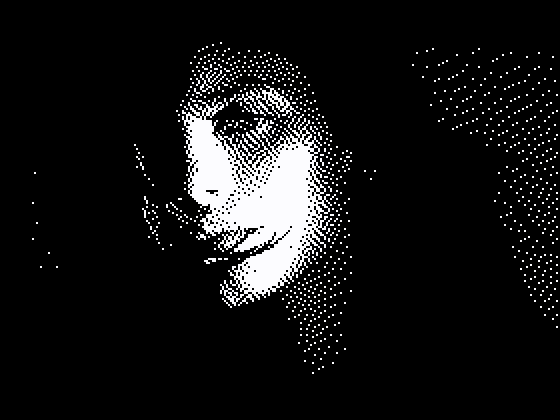
The result is higher contrast than the original actually had. It is not a faithful reproduction, it is a flattering one, with open white space and crisp clusters instead of an even wash of grain.
Which to use
Use Floyd-Steinberg when you want to preserve the photograph: detailed images, larger palettes, anything where losing shadow detail would matter. It is the better default and the safer choice.
Use Atkinson when you want the image to read as graphic rather than photographic. It suits portraits with strong lighting, high-contrast subjects, one-bit black and white, and the Game Boy palette. If you are chasing a specific retro computing look rather than accuracy, this is usually the one.
The quickest way to decide is to switch between them on your own image. The difference is obvious immediately, and it is almost always a matter of taste rather than correctness.