GUIDE · 4 MIN READ
How to make a halftone effect from any photo
The newsprint look is not one setting. It is three, and getting them in the right order takes about a minute.
What halftone actually is
Printing presses cannot produce grey ink. They can only put ink down or not. Every grey you have ever seen in a newspaper is an illusion produced by varying the size and spacing of solid black dots, which is the same perceptual trick dithering uses.
So the way to fake a halftone convincingly is not to add a filter on top of a photograph. It is to actually reduce the image the way a press would have, using a regular pattern rather than an organic one.
The three settings
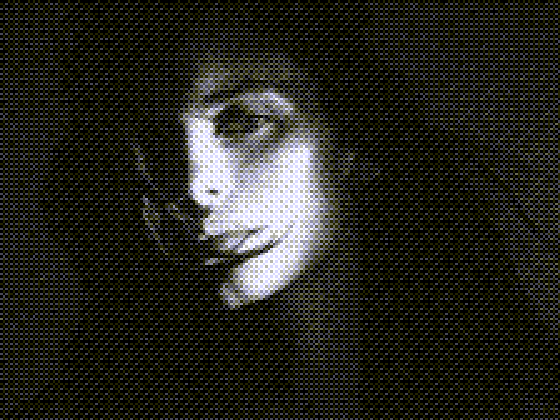
First, choose ordered Bayer dithering. Error diffusion produces an irregular organic grain, which reads as digital noise rather than print. The regular repeating crosshatch of an ordered matrix is what makes the effect legible as halftone.
Second, choose a small greyscale palette. Eight shades is close to what cheap newsprint actually delivered. Two is too harsh for most photographs and sixteen is too smooth to read as print.
Third, set the dither scale to somewhere around 0.4. This determines the dot size. Too high and the pattern is too fine to see, which defeats the point. Too low and it stops looking like print and starts looking like a mosaic.
The finishing touches
Raise the contrast a little. Printing presses lose detail at both ends of the tonal range, so a slightly punchier image reads as more authentic than a perfectly balanced one.
Add a small amount of noise, somewhere around ten. Real newsprint has paper texture and ink spread, and a touch of grain breaks up the mechanical perfection of the digital pattern in a way that sells the effect.
If you want the specific look of a photocopied zine rather than a newspaper, drop to two colours and raise the contrast much further. The blown-out, broken quality that comes from that is a different aesthetic and worth trying on portraits.